
How to change your barge booking
BOOKED THE WRONG TIME? CHANGE IT. EASY.
4 minute watch. Alternatively, follow the steps below.
01
Login
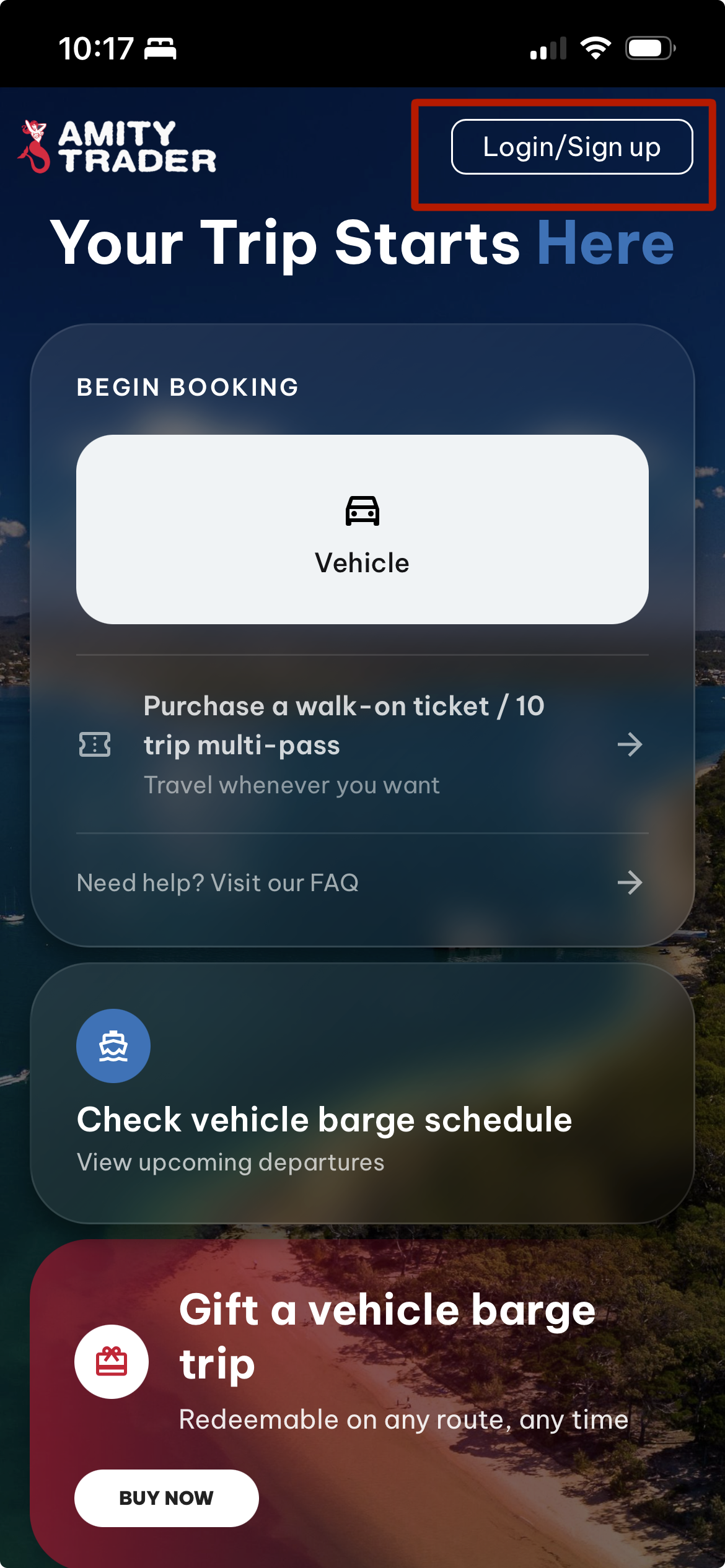
From the bookings home screen, click Login to view your existing bookings.
02
Fill in your email and password
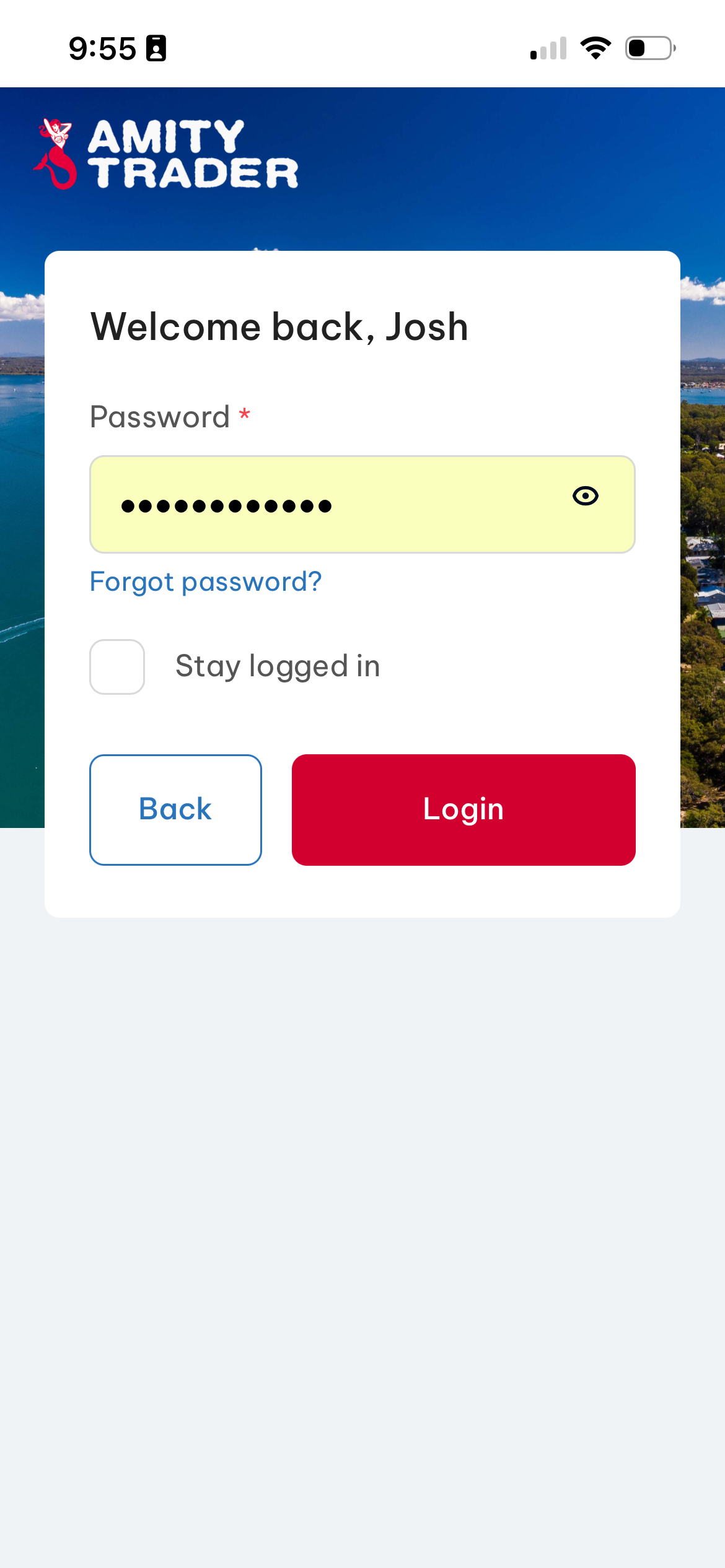
Login using your Email address and password. If you've forgotten your password, simply click "Forgot password?".
Click 'Login'
03
Go to Bookings
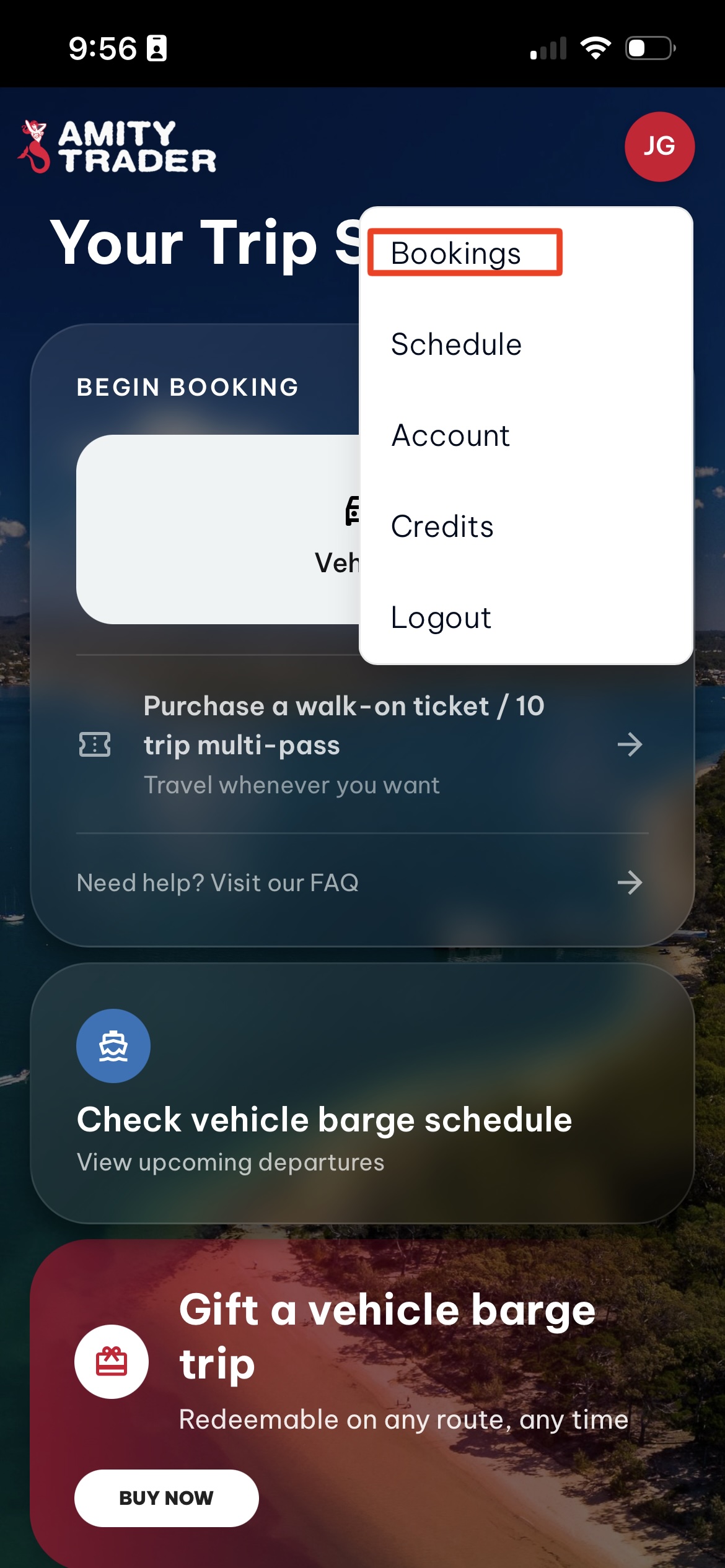
Click your initials in the top right corner to open the Account menu, then click on 'Bookings'.
04
Select the trip you need to change
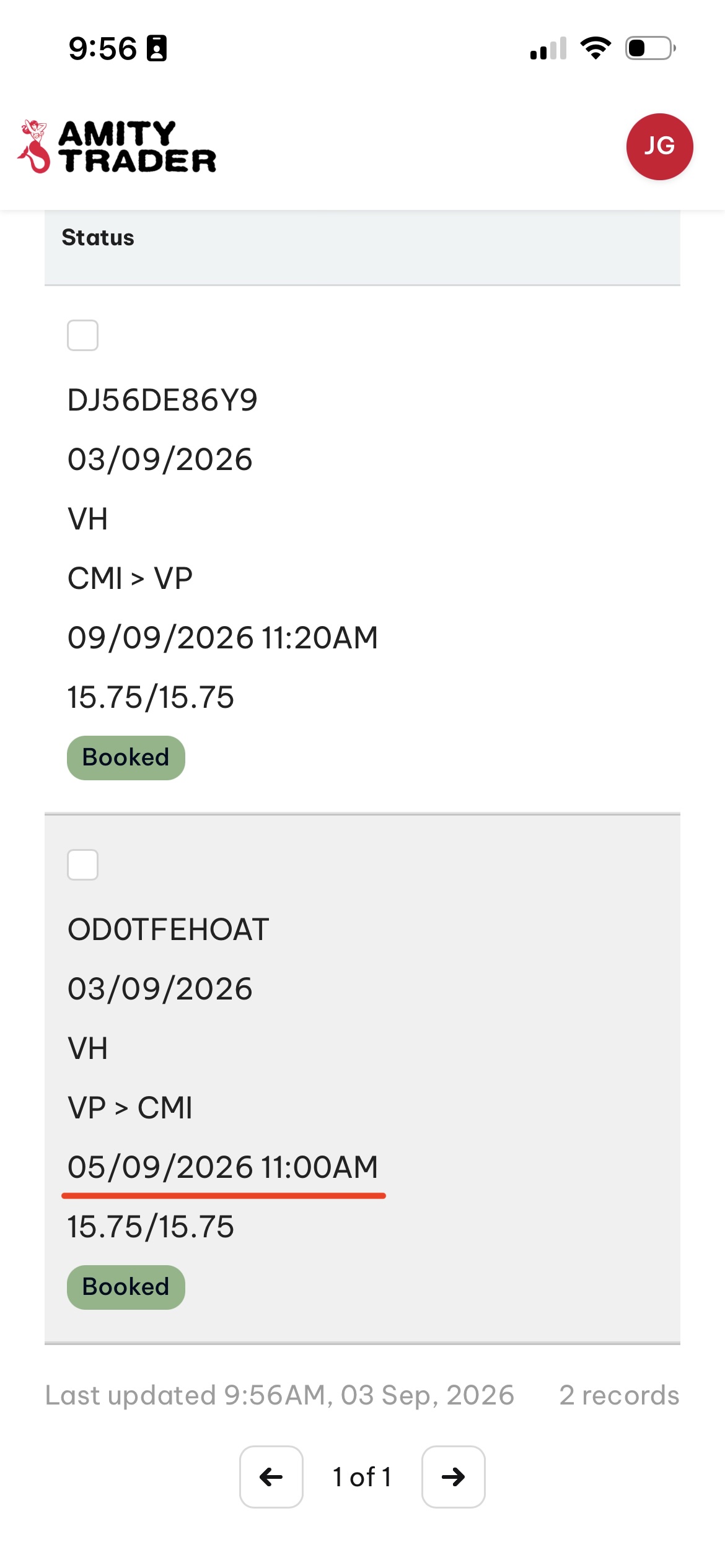
Please look very carefully at the list of trips as they may NOT be in chronological order.
Click on the trip you wish to change.
05
Manage Booking
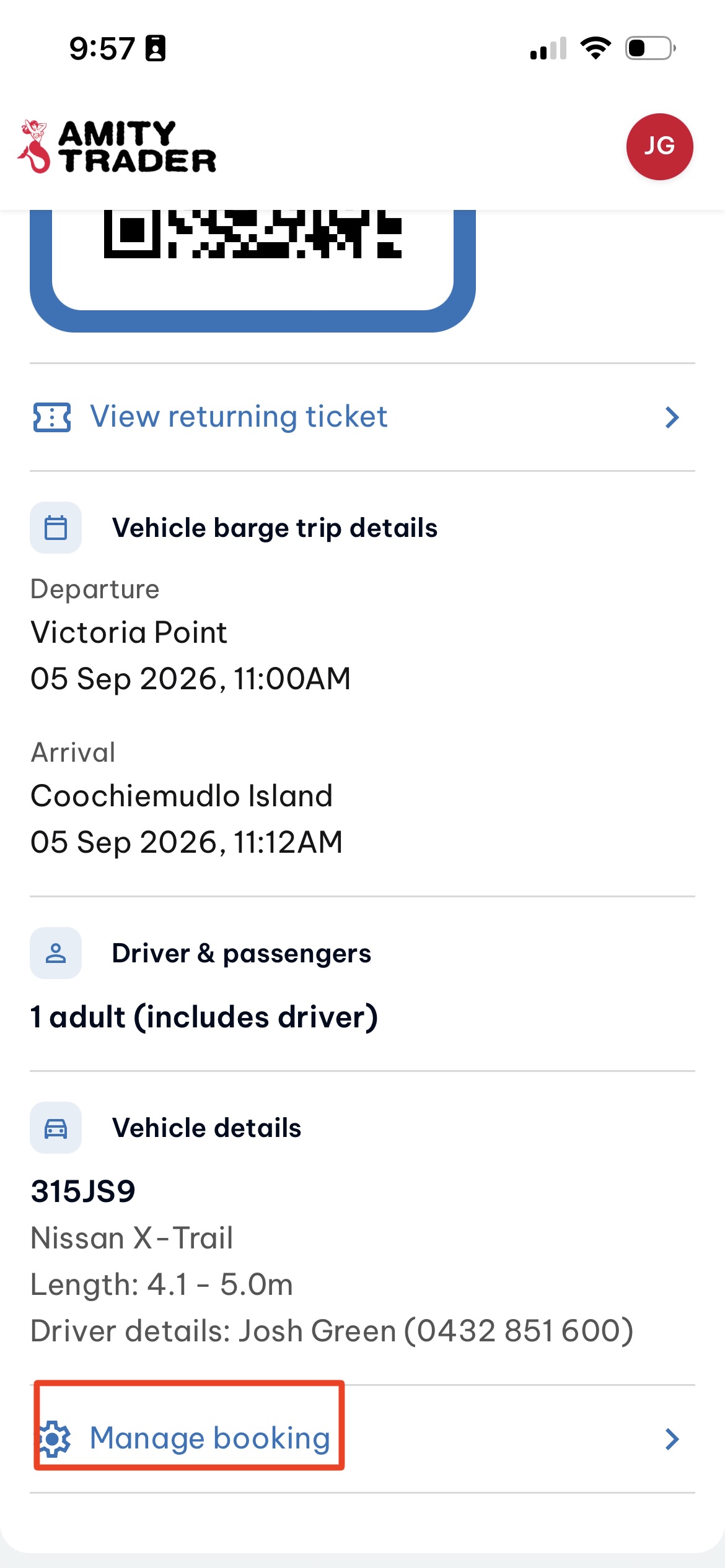
Scroll to the bottom of the Trip page and click 'Manage booking'.
06
Edit Booking
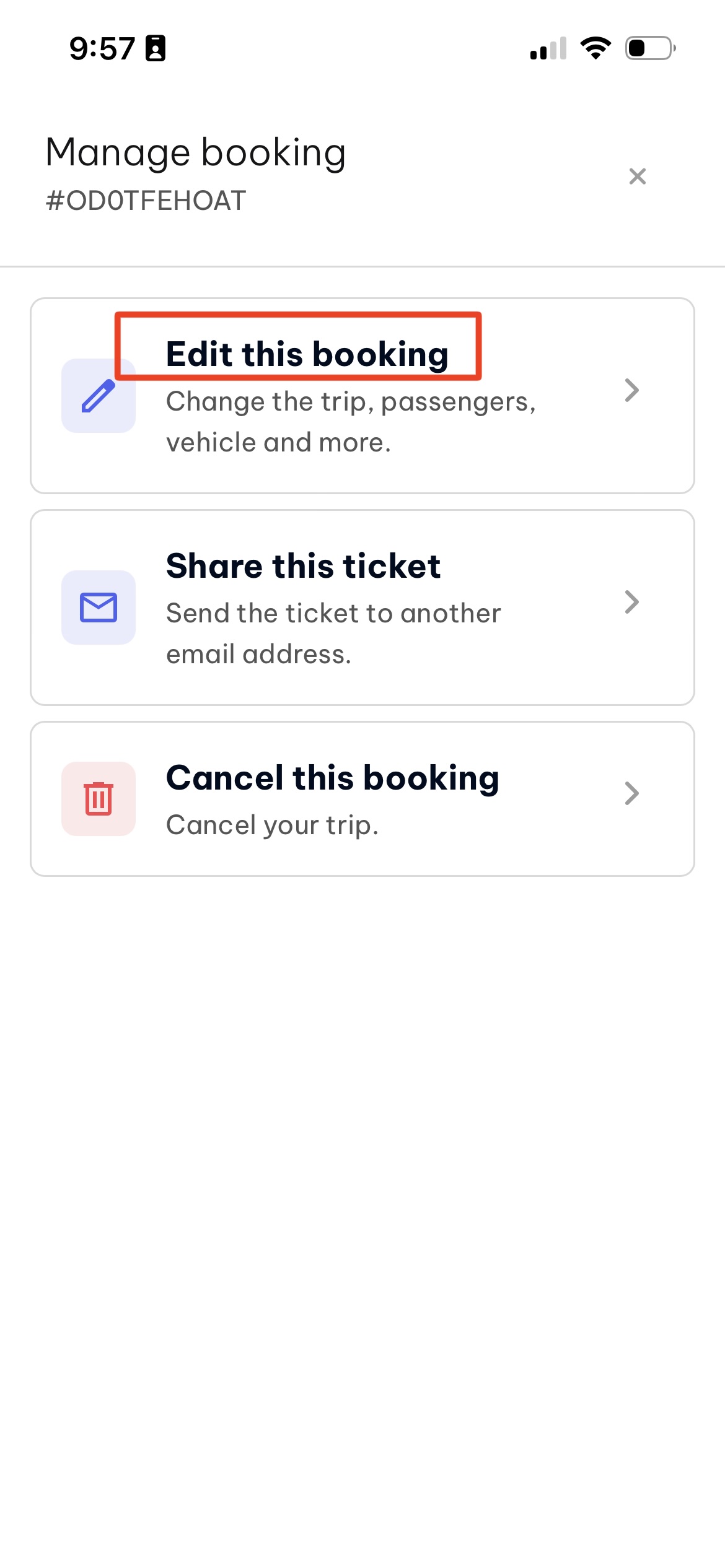
Click 'Edit this booking' to make changes to the date/time, passenger numbers or vehicle.
07
Select one or both trips
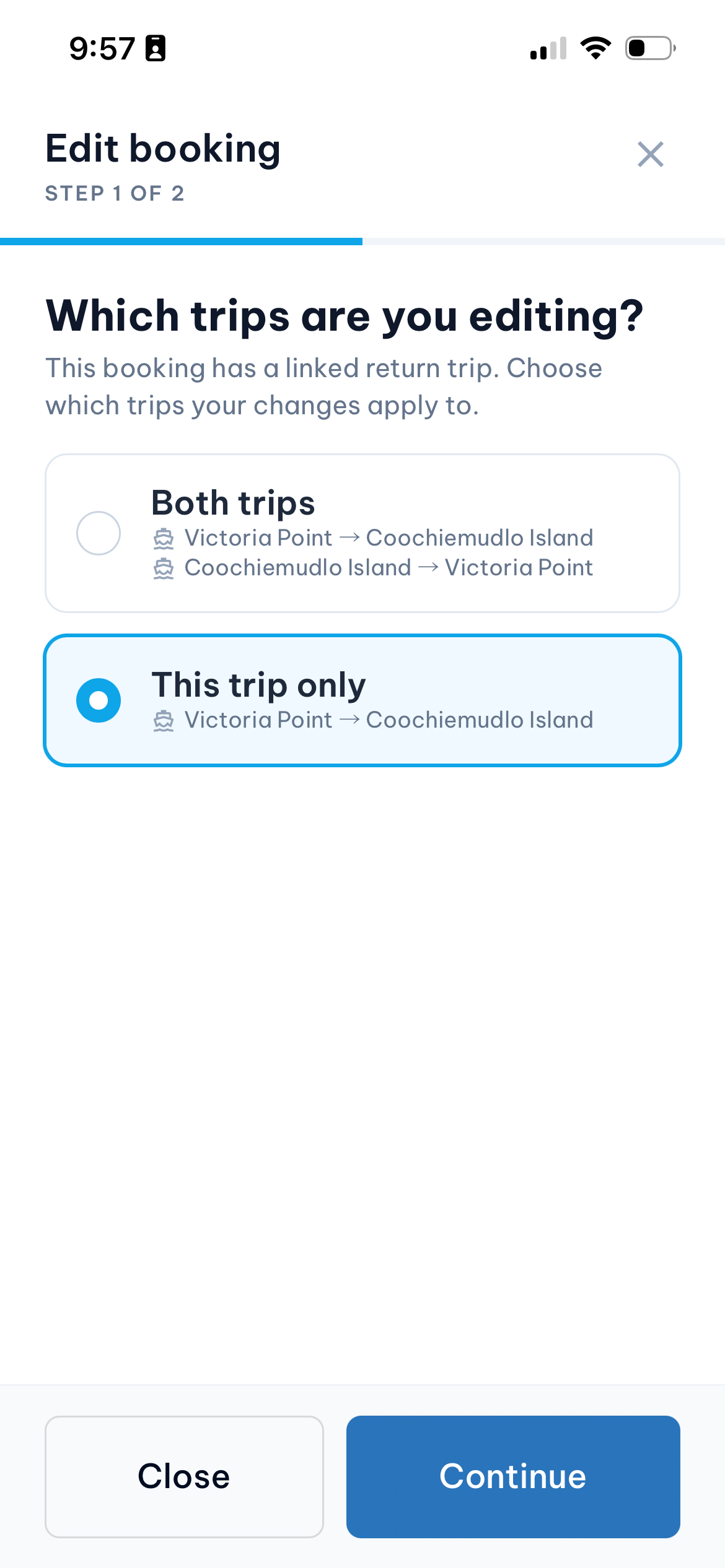
Choose whether you want to change one of the legs or both trips.
08
Select 'Date or time'
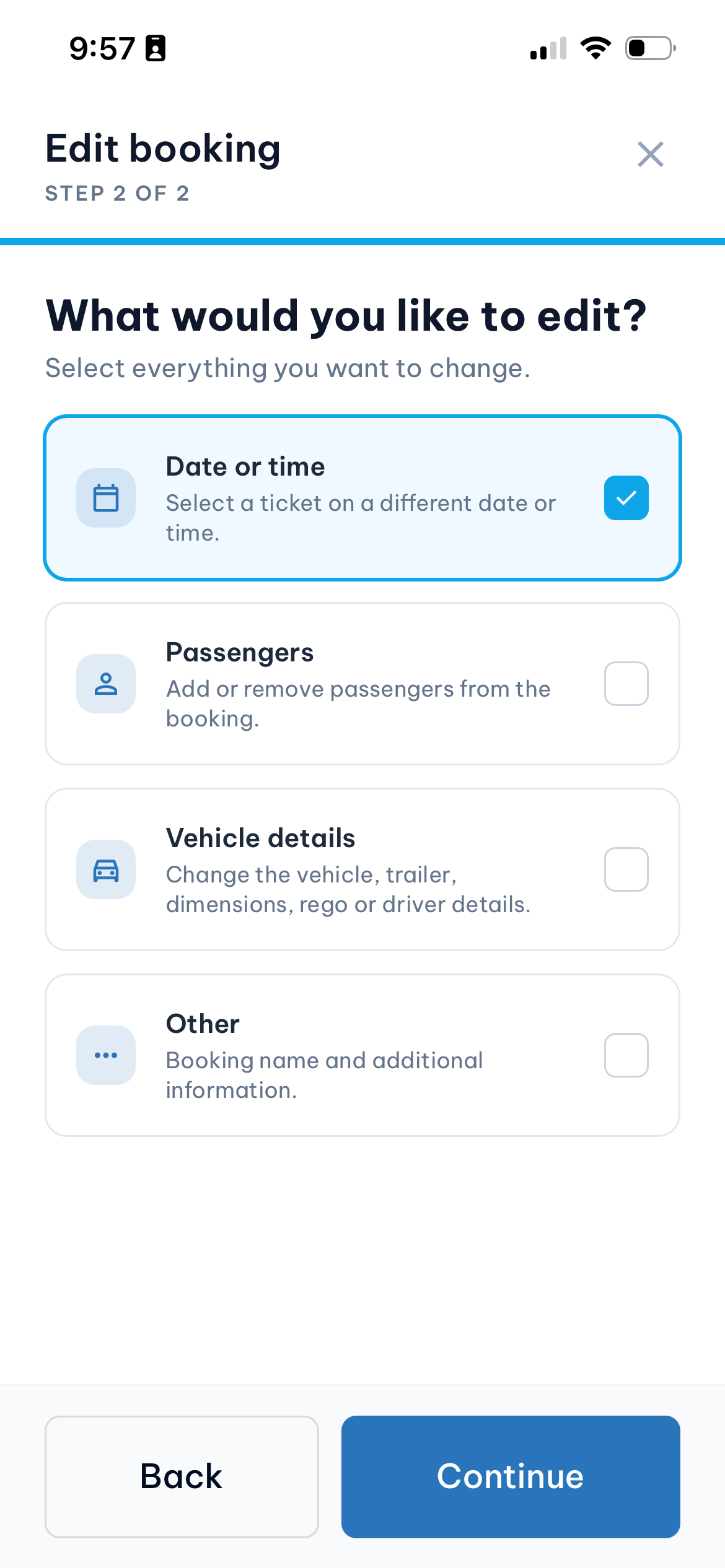
Select 'Date or time' to change the trip.
09
Review trip details
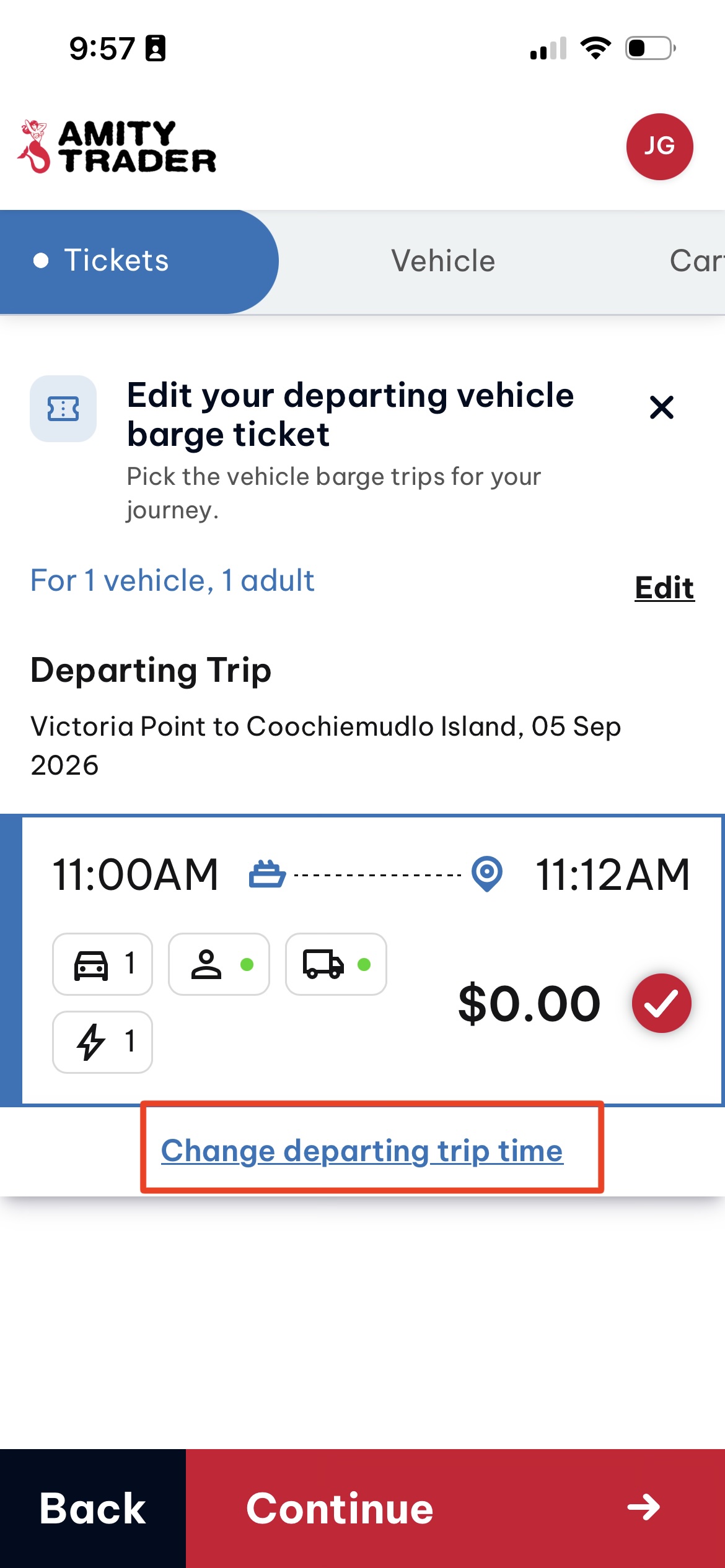
Review the trip details and click 'Change departing trip time' if required.
10
Review your ticket and terms
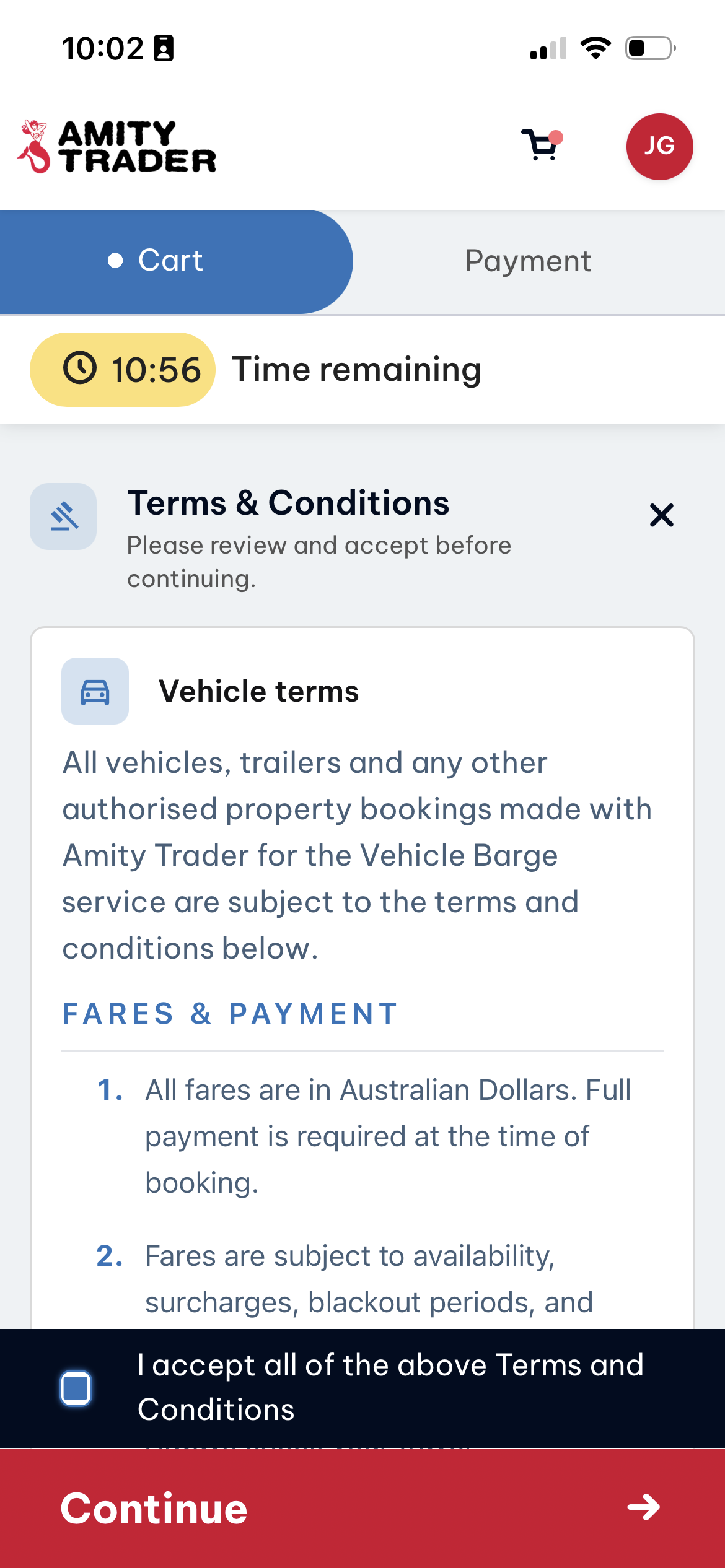
Check the new trip details are correct, confirm agreement to the terms, pay any fees owing and click Continue.